Cultivate auto-regeneration settings
Auto-regeneration lets REHL AI refresh a lead's warming strategy on its own when something meaningful changes, instead of waiting for an agent to click Regenerate. It is off until you turn it on.
Where to find it
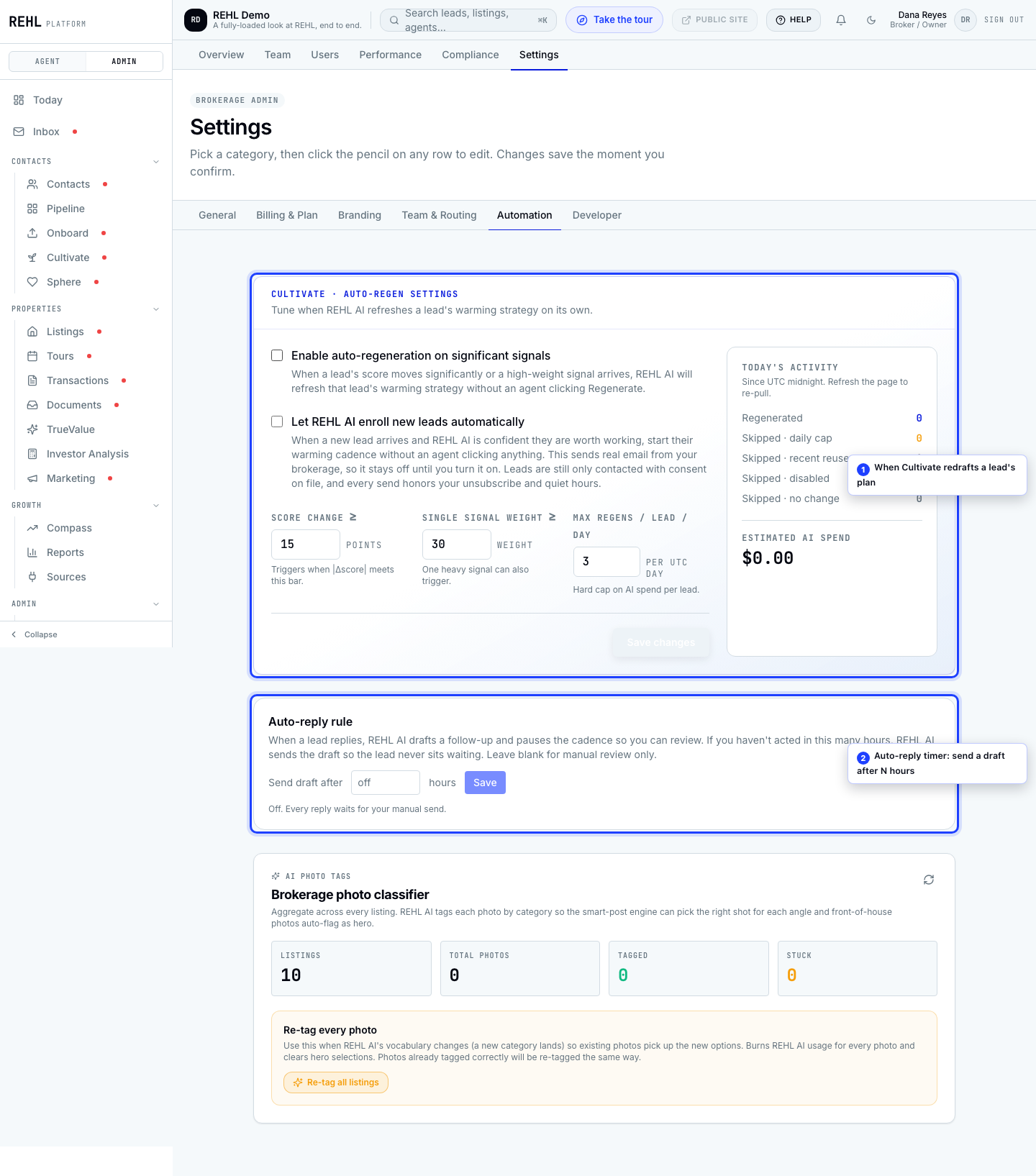
Open brokerage settings and go to Automation. The Cultivate auto-regen card holds four controls plus a live activity panel.
The four settings
- Enable auto-regeneration on significant signals: the master switch. Off by default, so nothing regenerates automatically until you turn this on.
- Score change at or above: how many points a lead's score must move before REHL AI counts it as significant.
- Single signal weight at or above: a single high-weight action (rather than a score move) can trigger a refresh on its own.
- Max regens per lead per day: a hard ceiling so one busy lead cannot burn your REHL AI usage.
The activity panel
The panel beside the settings shows today's counts: how many strategies were regenerated, and how many were skipped and why (daily cap hit, recently reused, feature disabled, or nothing actually changed). If your numbers look low, this panel tells you which threshold to loosen.
Regenerating refreshes the strategy for a lead who is already in a cadence. It does not put anyone new into one. That is a separate setting.
Need more help? Contact support.